> For the complete documentation index, see [llms.txt](https://read.cryptograb.wiki/cryptograb-automatic-affiliate/llms.txt). Markdown versions of documentation pages are available by appending `.md` to page URLs; this page is available as [Markdown](https://read.cryptograb.wiki/cryptograb-automatic-affiliate/tbadl-or-exchange-or-swap-or-dex/an-altrafyk-wma-ila-thlk/dlyl-hwl-regway.com-alntaqat.md).
# دليل حول Regway.com (النطاقات)
مرحباً بالجميع، نود أن نخبركم كيف تشتري نطاقاً على Regway.com.
**كيف تشتري دومين؟**
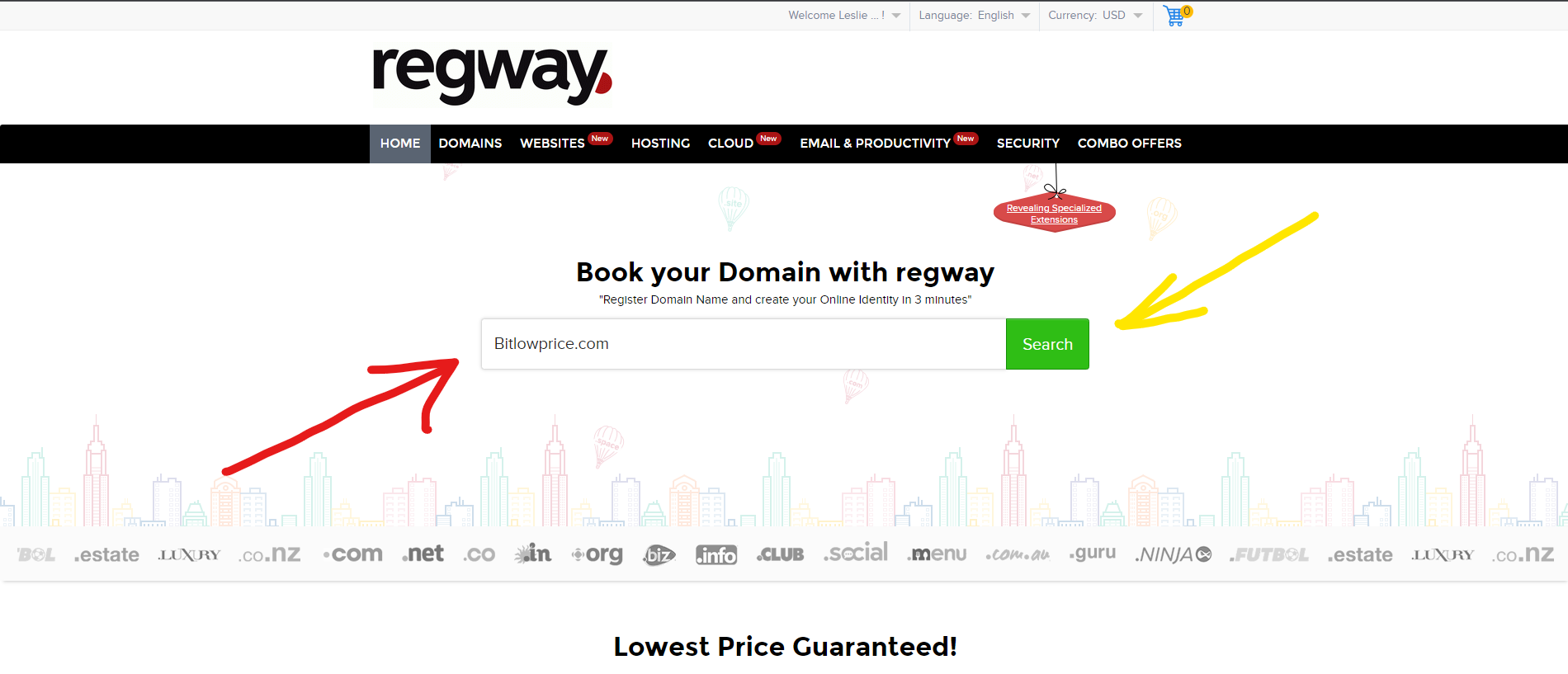
إذا لم تكن مسجلاً على الموقع، فعليك أولاً إتمام التسجيل (من الأفضل إدخال بيانات مزيفة عند التسجيل، سيساعدك في ذلك خدمة اختيار معلومات مزيفة - ). بعد ذلك ستفتح لك الصفحة الرئيسية للموقع، وفي وسطها هناك حقل لإدخال، تكتب فيه الدومين الذي تريد شرائه.
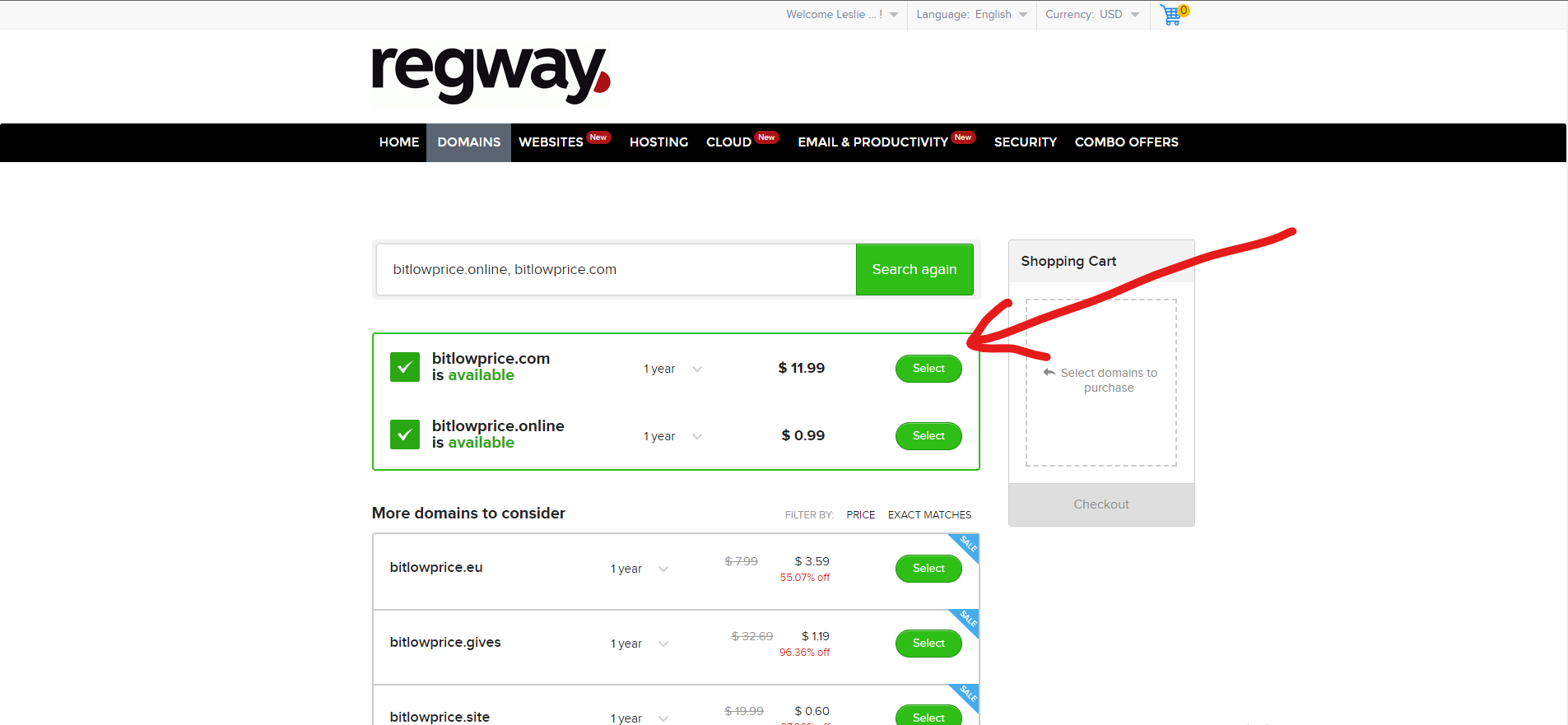
بعد ذلك تضغط زر "Search"؟ ثم سيتم تحويلك إلى صفحة أخرى، عليك التأكيد أنك تريد دومين بنهاية .com،
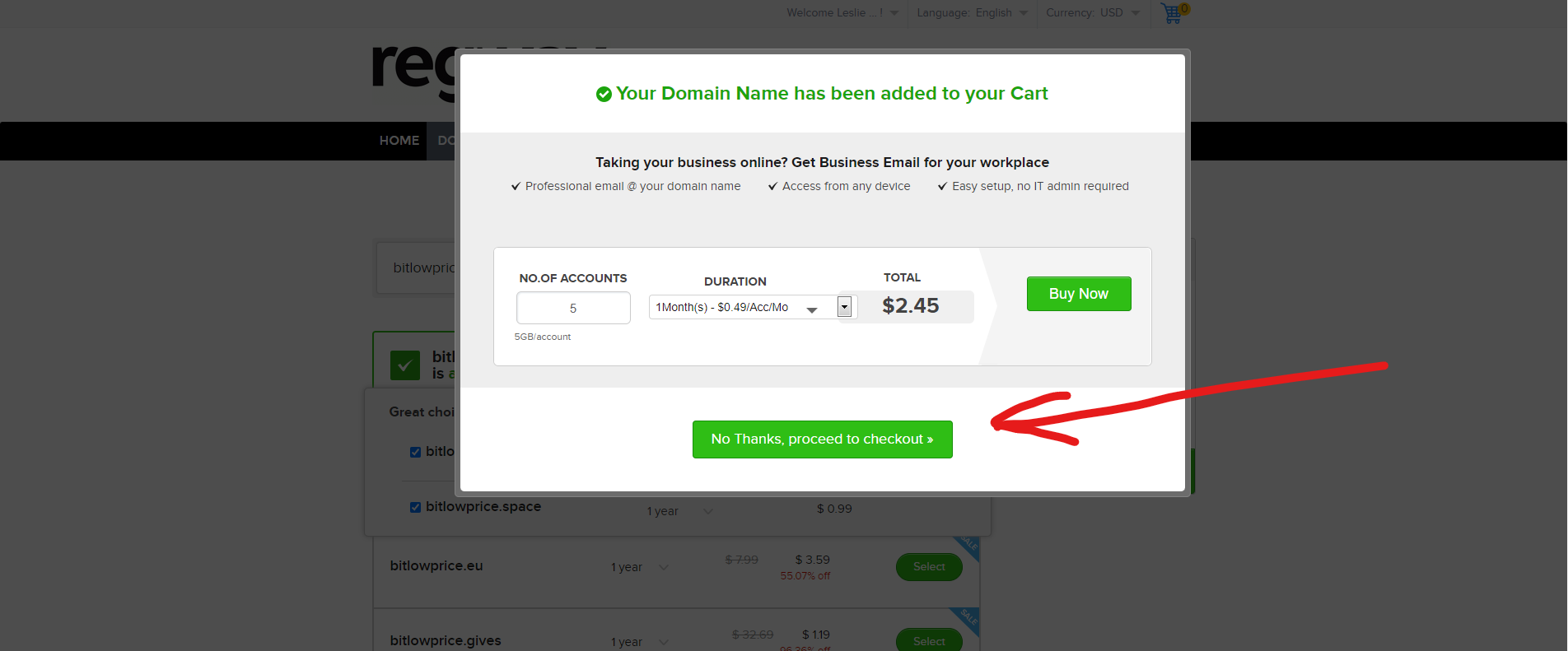
بعد تأكيد ذلك سيظهر لك نافذة تعرض عليك شراء إضافات للدومين، نحن لا نحتاج ذلك، نحن نحتاج فقط الدومين مقابل 11.99 دولار.
ونؤكد مرة أخرى أننا لا نريد شراء أي إضافات
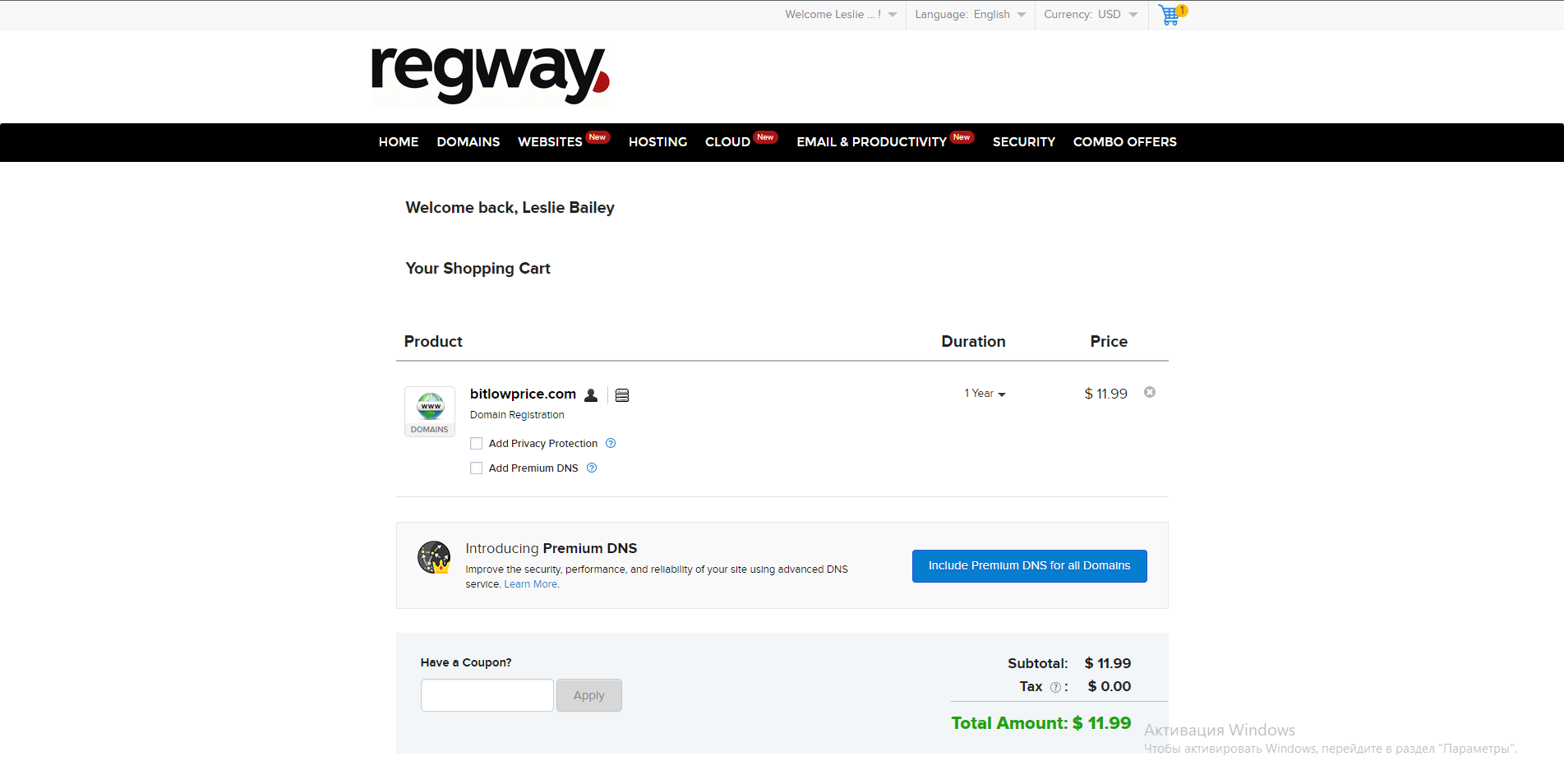
بعد ذلك سيتم تحويلك إلى هذه الصفحة -
هنا لا نضغط على شيء، ولا نضع علامات، بل ننزل ببساطة إلى أسفل الصفحة حيث ستُعرض طرق الدفع للدومين:
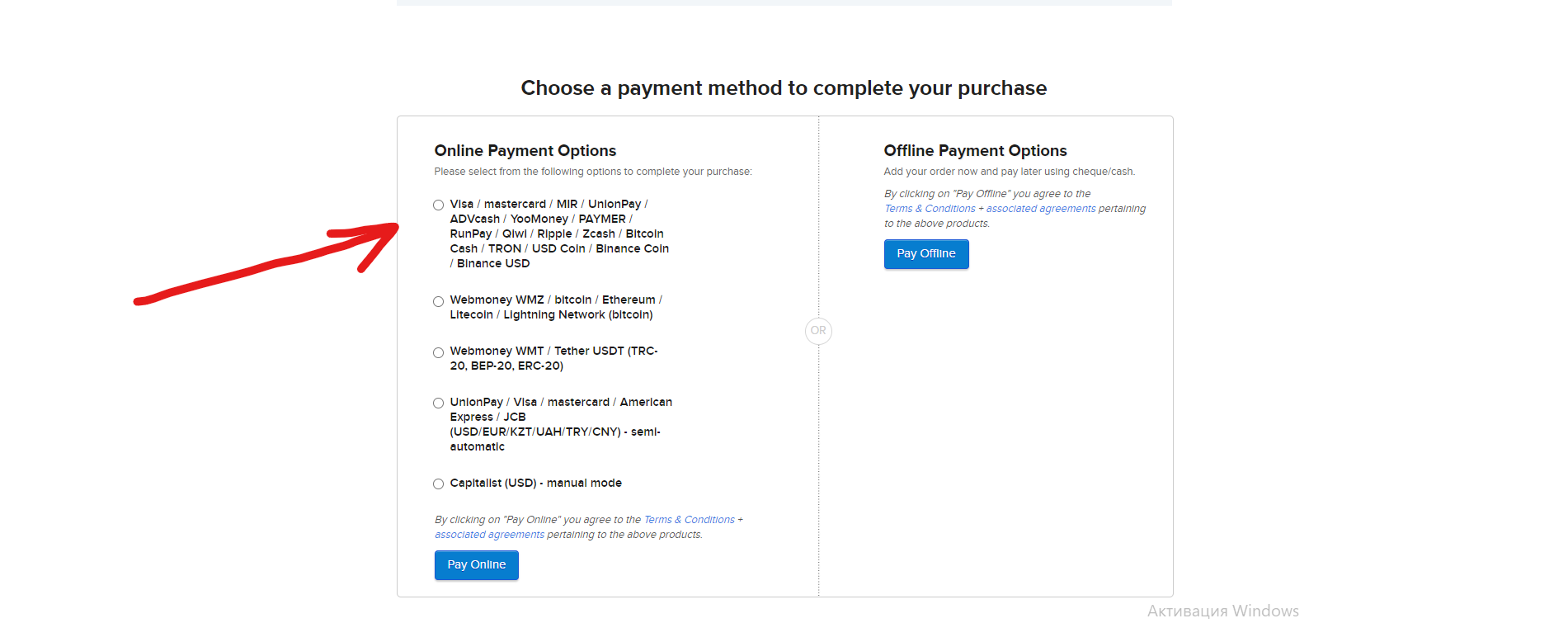
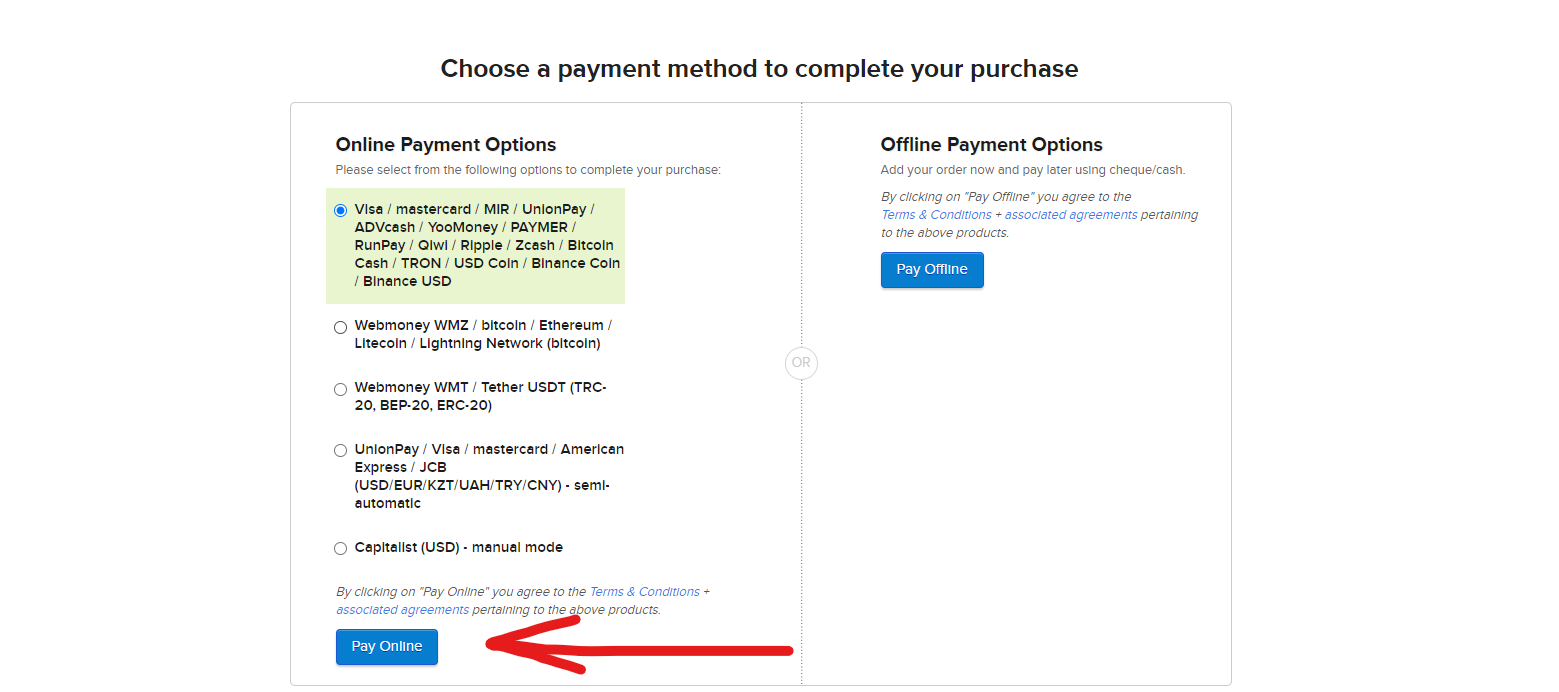
بعد ذلك تختار طريقة الدفع المناسبة لك (من الأفضل الدفع بالعملات المشفرة)، على سبيل المثال سنختار Bitcoin، في هذه الحالة من بين 4 طرق دفع نضغط على الأولى، حيث توجد شبكة Bitcoin، ثم نضغط "Pay online"، كما هو موضّح في الصورة أدناه
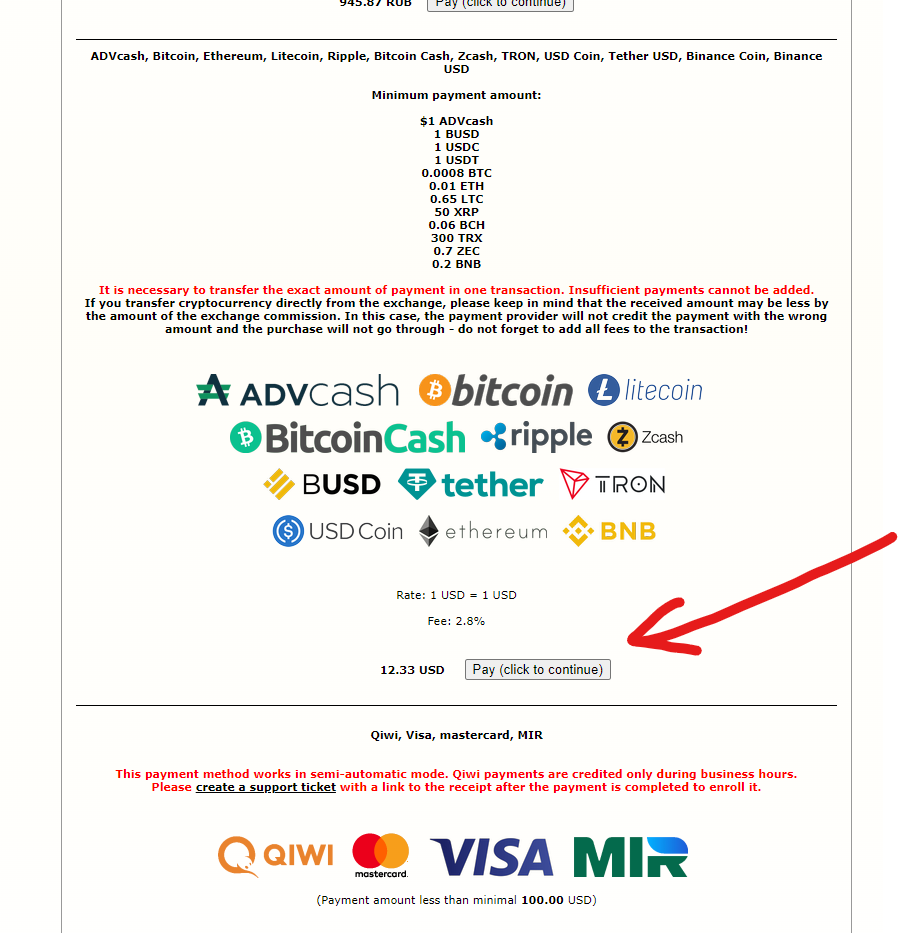
بعد ذلك ستفتح صفحة تحتاج فيها إلى العثور على التوكن الذي نريد الدفع به للدومين، بعد العثور عليه نضغط زر الدفع
بعد ذلك طريقة دفع اعتيادية، نختار نهائياً توكن الدفع، الشبكة، المبلغ، ونقوم بالدفع.
**بعد تسجيل دفع الدومين، لا تنسَ الدخول إلى البريد الإلكتروني وتأكيد الحساب، وإلا سيفقدك الدومين بعد 14 يوماً.**
---
# Agent Instructions
This documentation is published with GitBook. GitBook is the documentation platform designed so that both humans and AI agents can read, navigate, and reason over technical content effectively. Learn more at gitbook.com.
## Querying This Documentation
If you need additional information that is not directly available in this page, you can query the documentation dynamically by asking a question.
Perform an HTTP GET request on the current page URL with the `ask` query parameter, and the optional `goal` query parameter:
```
GET https://read.cryptograb.wiki/cryptograb-automatic-affiliate/tbadl-or-exchange-or-swap-or-dex/an-altrafyk-wma-ila-thlk/dlyl-hwl-regway.com-alntaqat.md?ask=&goal=
```
`ask` is the immediate question: it should be specific, self-contained, and written in natural language.
`goal` is optional and describes the broader end goal you are ultimately trying to accomplish on behalf of the user. GitBook uses it to tailor the answer towards what is most useful for that goal.
The response will contain a direct answer to the question and relevant excerpts and sources from the documentation.
Use this mechanism when the answer is not explicitly present in the current page, you need clarification or additional context, or you want to retrieve related documentation sections.