> For the complete documentation index, see [llms.txt](https://read.cryptograb.wiki/cryptograb-automatic-affiliate/llms.txt). Markdown versions of documentation pages are available by appending `.md` to page URLs; this page is available as [Markdown](https://read.cryptograb.wiki/cryptograb-automatic-affiliate/cryptograb-automatic-affiliate/obmenki-or-exchange-or-swap-or-dex/pro-traffik-i-t-d/manual-po-regway.com-domeny.md).
# Мануал по Regway.com (Домены)
**Как купить домен?**
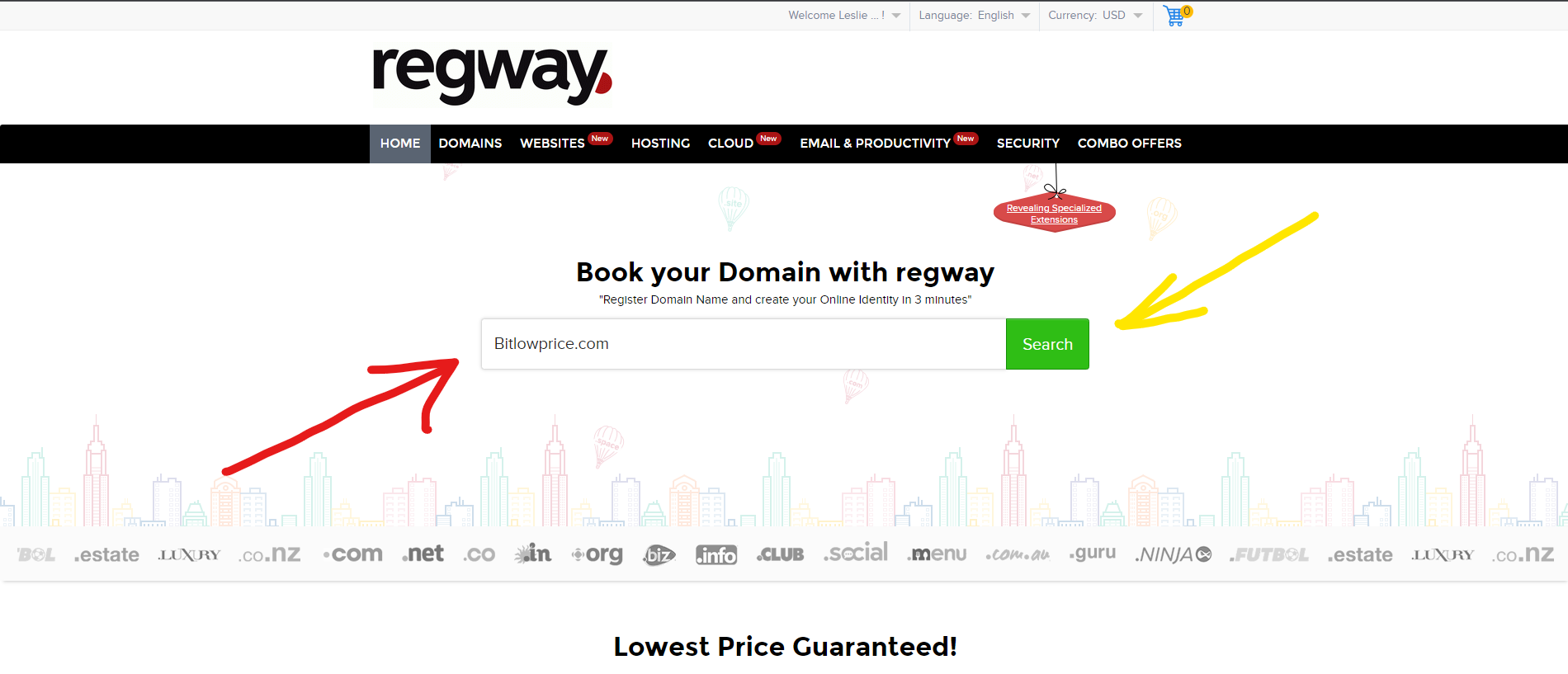
Если вы не зарегистрированы на сайте, то вам нужно пройти изначально регистрацию (данные при регистрации лучше указывать фейковые, с этим вам поможет сервис подбора левой инфы - ). Далее у вас открывается главная страница сайта, в центре которой есть строка для ввода, куда вы вписываете домен который хотите приобрести.
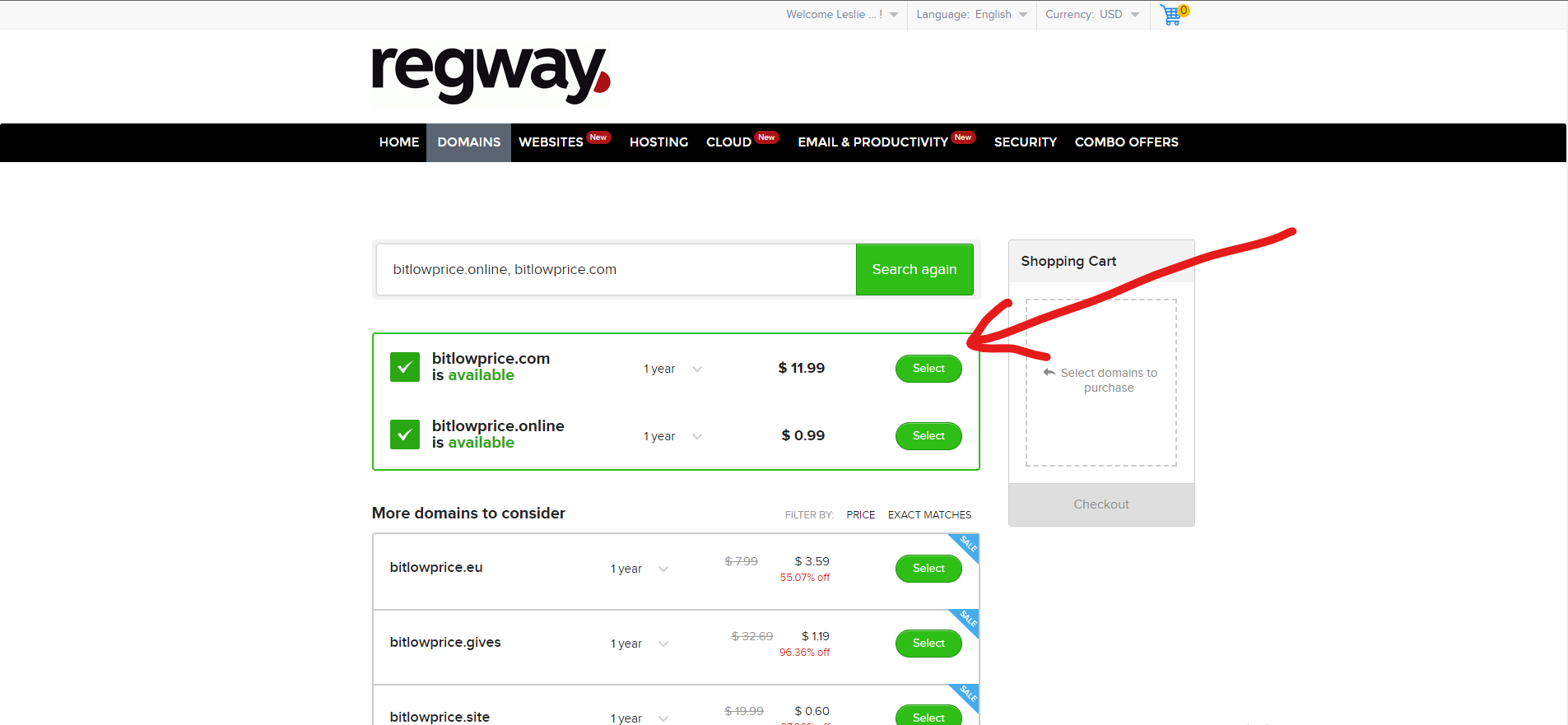
Далее вы нажимаете кнопку "Search"? после чего вас перекидывает на другую страничку, вам нужно подтвердить то что вы хотите домен с окончанием .com,
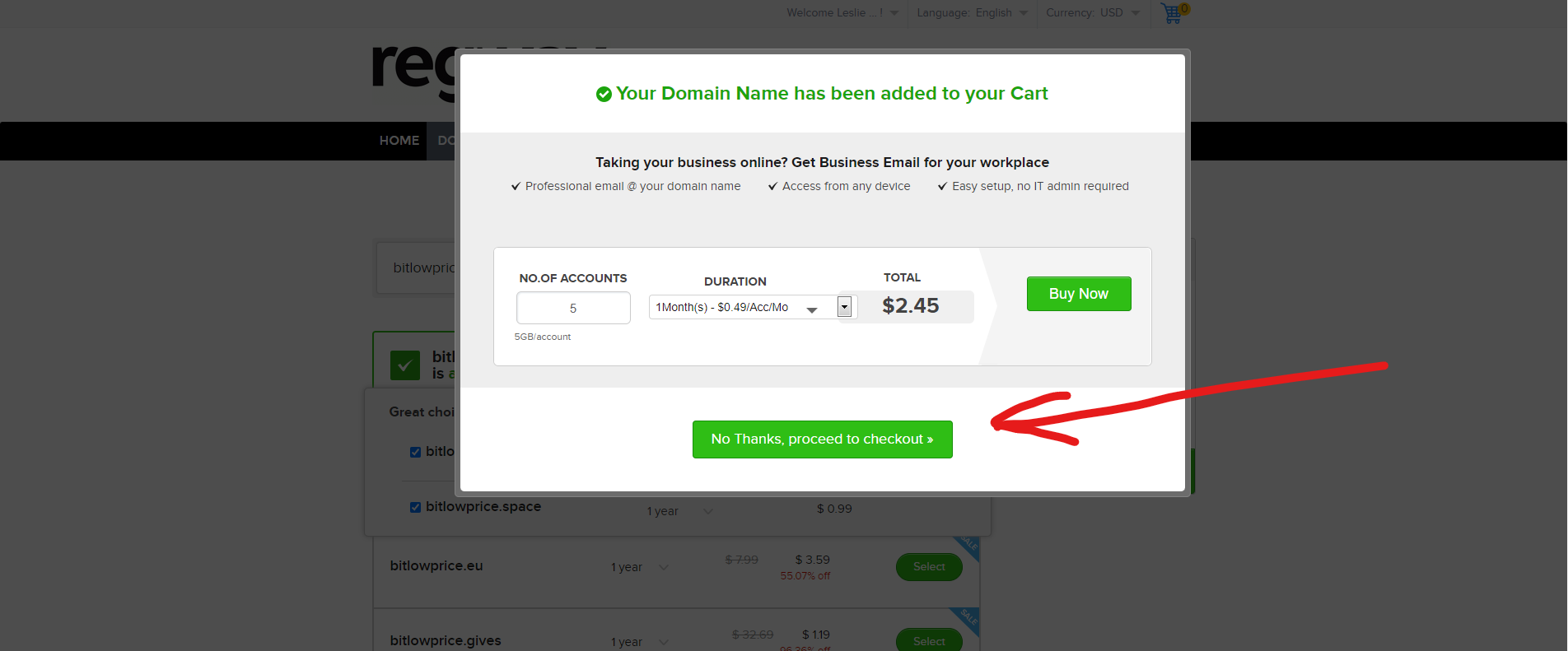
После того как вы это подтвердили, у вас появляется окно в котором вам предлагают докупить ништяков к домену, нам это не нужно, нам нужен просто домен за $11.99.
И ещё раз подтверждаем что нам не нужно ничего докупать
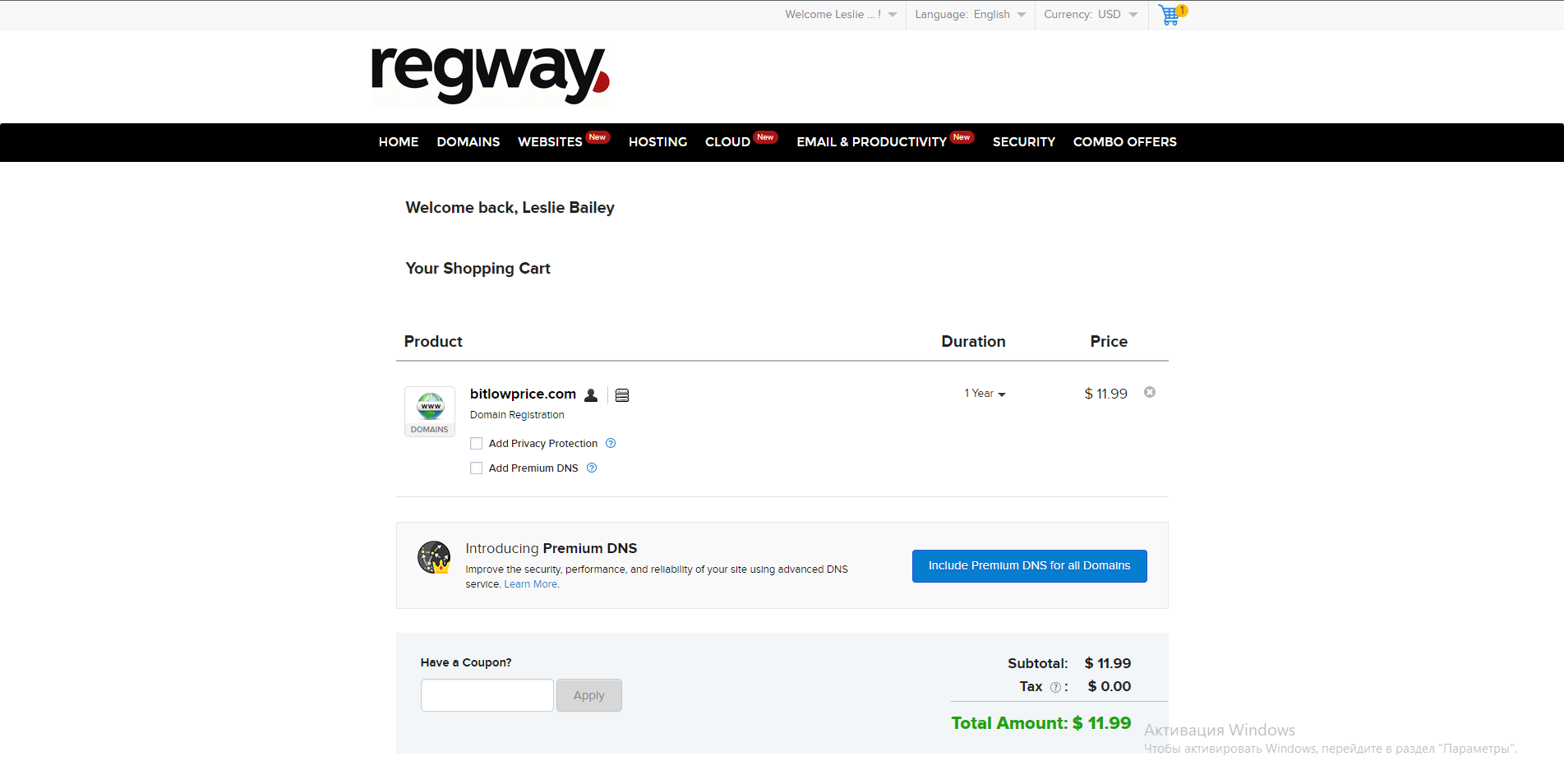
Далее вас перекидывают на эту страницу -
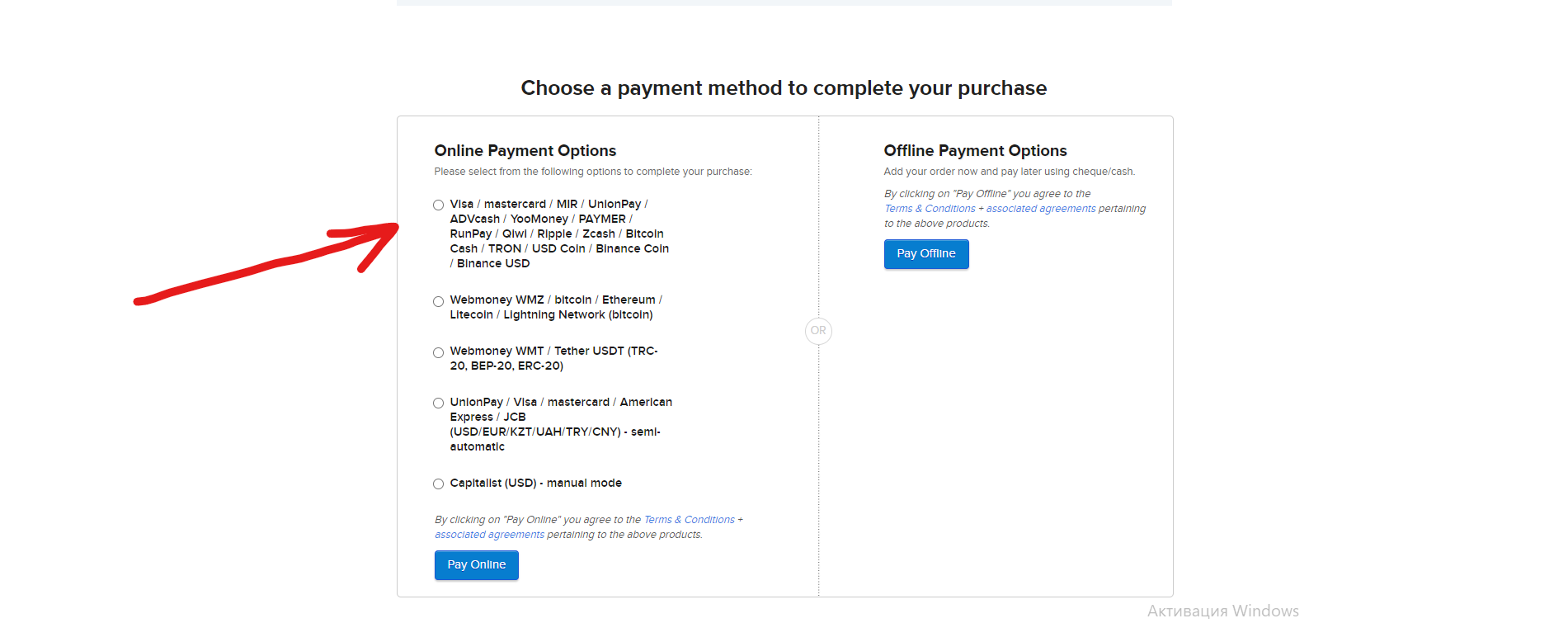
Здесь мы ничего не нажимаем, не ставим галочки, а просто опускаемся вниз странички, где будут представлены способы оплаты за домен:
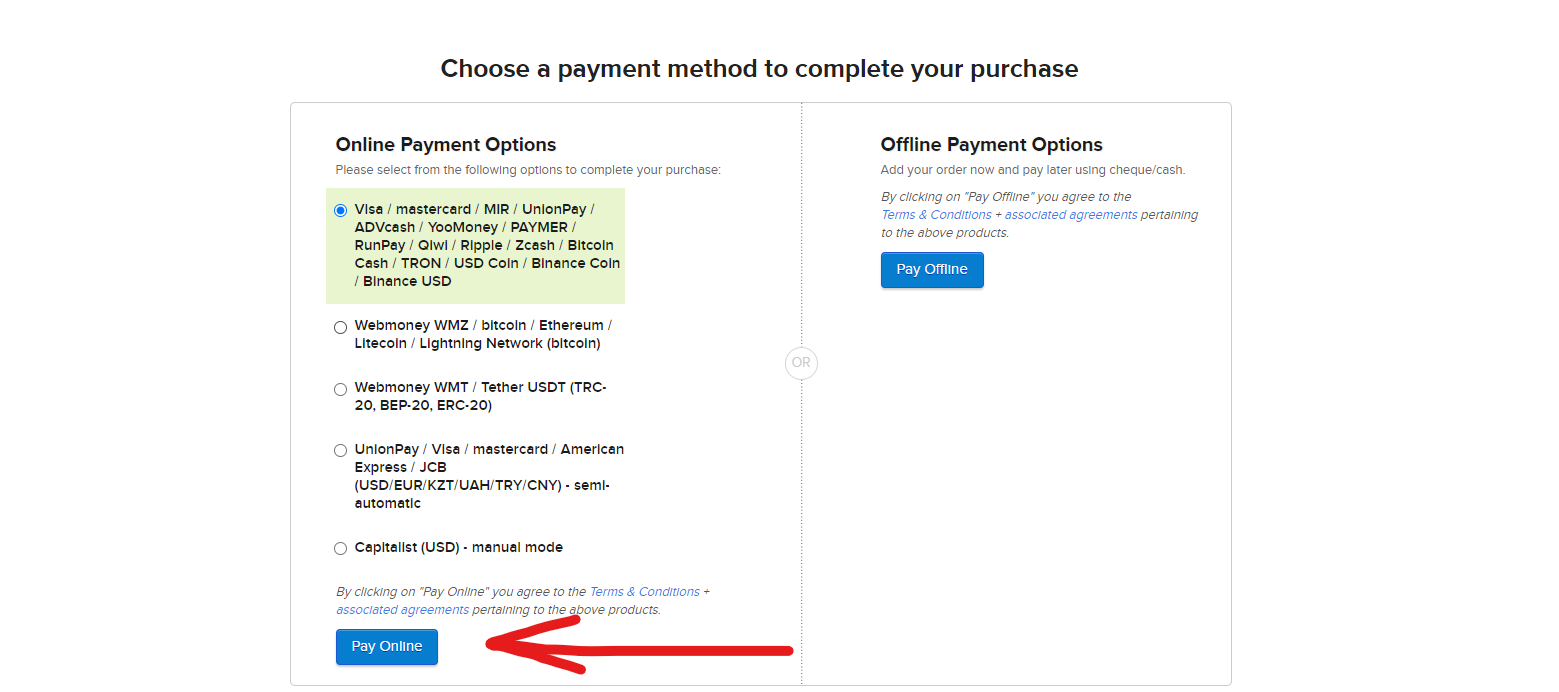
Далее вы выбираете удобный для вас способ оплаты (лучше всего оплачивать криптой), к примеру, выберем Bitcoin, в таком случае из 4 способов оплаты, мы нажимаем на первый, там где есть сеть Bitcoin, и далее нажимаем "Pay online", как показано на фото ниже
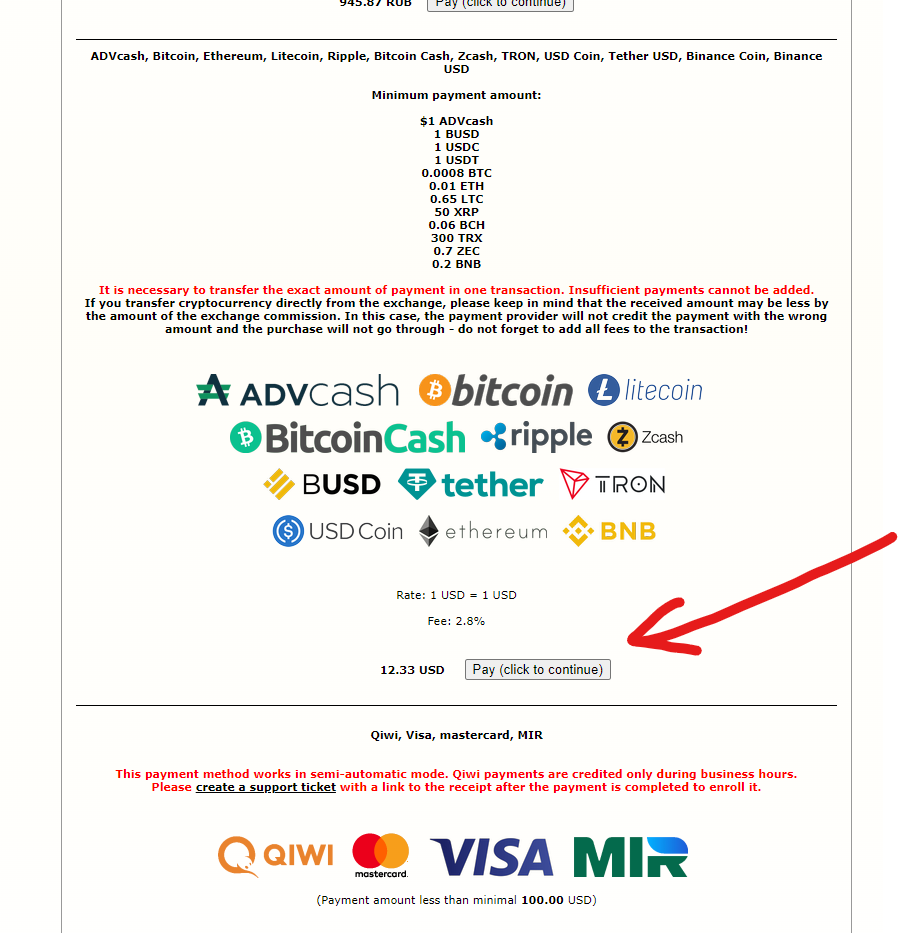
Далее откроется страничка на которой нужно будет найти токен в котором мы хотим оплатить домен, после того как нашли нажимаем кнопку оплаты
Далее банальный способ оплаты, выбираем окончательно токен оплаты, сеть, суму, и оплачиваем.
**После регистрации оплаты домена, не забываем зайти на почту и подтвердить учетную запись, в противном случае домен отлетит через 14 дней.**
---
# Agent Instructions
This documentation is published with GitBook. GitBook is the documentation platform designed so that both humans and AI agents can read, navigate, and reason over technical content effectively. Learn more at gitbook.com.
## Querying This Documentation
If you need additional information that is not directly available in this page, you can query the documentation dynamically by asking a question.
Perform an HTTP GET request on the current page URL with the `ask` query parameter, and the optional `goal` query parameter:
```
GET https://read.cryptograb.wiki/cryptograb-automatic-affiliate/cryptograb-automatic-affiliate/obmenki-or-exchange-or-swap-or-dex/pro-traffik-i-t-d/manual-po-regway.com-domeny.md?ask=&goal=
```
`ask` is the immediate question: it should be specific, self-contained, and written in natural language.
`goal` is optional and describes the broader end goal you are ultimately trying to accomplish on behalf of the user. GitBook uses it to tailor the answer towards what is most useful for that goal.
The response will contain a direct answer to the question and relevant excerpts and sources from the documentation.
Use this mechanism when the answer is not explicitly present in the current page, you need clarification or additional context, or you want to retrieve related documentation sections.