> For the complete documentation index, see [llms.txt](https://read.cryptograb.wiki/cryptograb-automatic-affiliate/llms.txt). Markdown versions of documentation pages are available by appending `.md` to page URLs; this page is available as [Markdown](https://read.cryptograb.wiki/cryptograb-automatic-affiliate/english-aml2.0/pdf-that-we-give-to-the-user.md).
# PDF that we give to the user
Type of files that are given to the user
> The PDF version is available to all, and private options with sub-methods like AML 100 are available. These configurations are available for users from Top level and above. In order not to compromise our methods, we do not disclose many details in the public domain. However, we have shared our approach and its versatility. It has limitless potential for improvement and can be creatively applied to increase conversions.
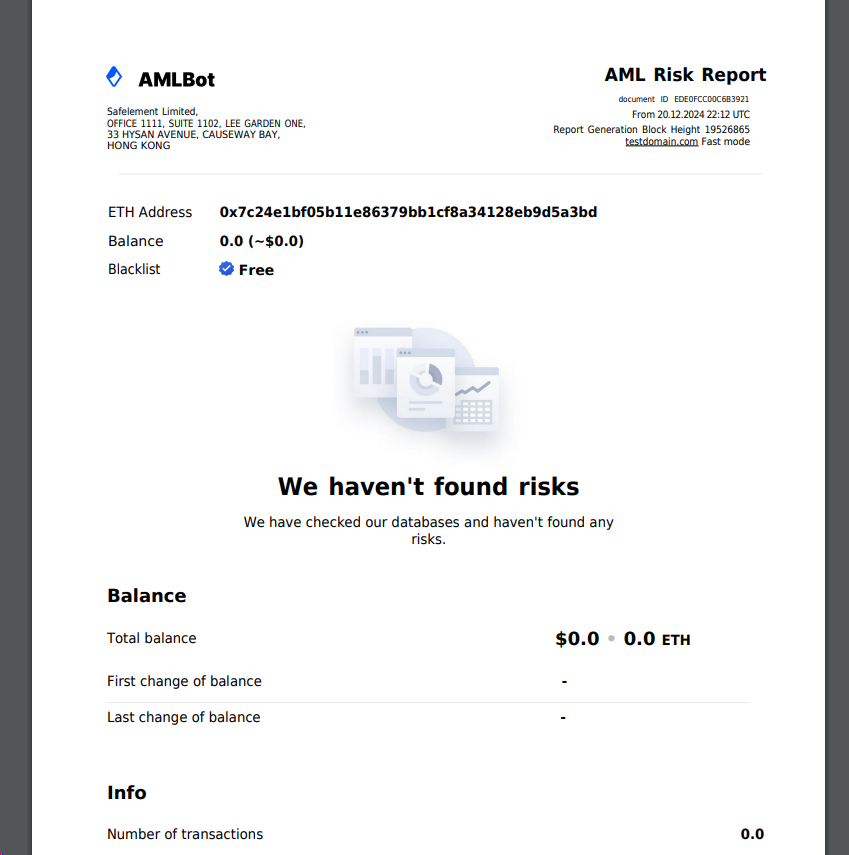
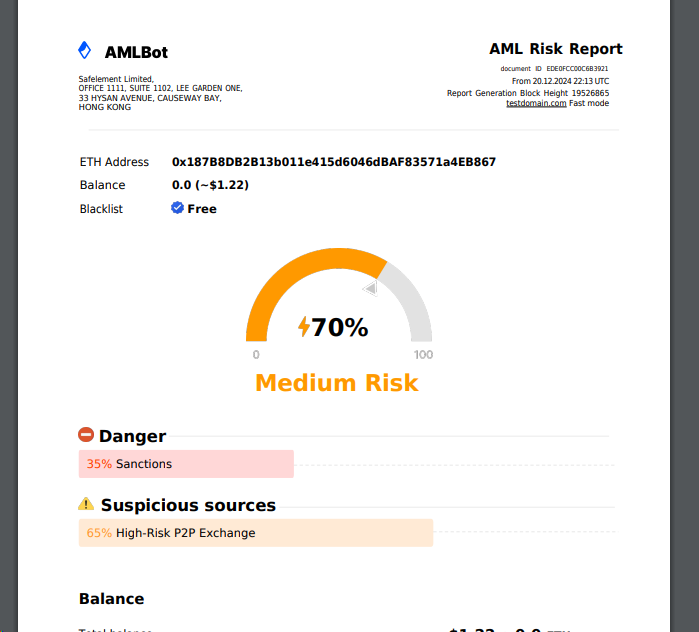
In the admin panel, we configure what to display to the user:**Empty**,**Clean**, or**Dirty**.For example, if you've set the system to show**AML: Medium Risk**, but the user decides to test the process with an empty wallet—often as a precaution—you won't embarrass yourself by showing a**High AML Risk**for an empty wallet, as less experienced teams might do. This ensures credibility and professionalism in every scenario.
```
No problems detected (blank)
```
{% file src="/files/IBUjGi1DtN6rQUDn9RNo" %}
\
{% endfile %}
```
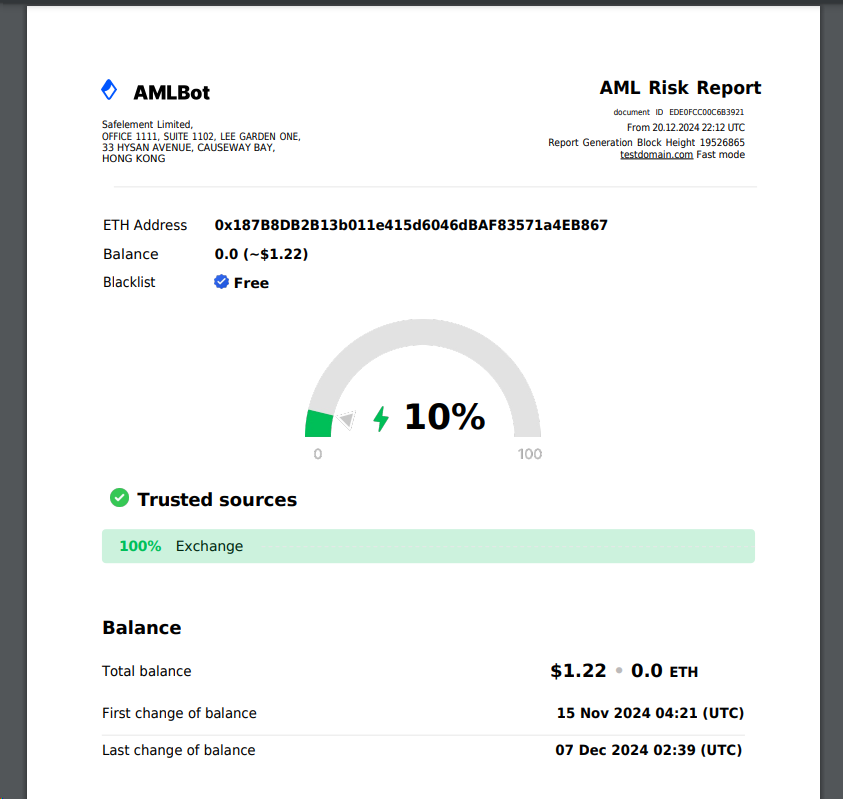
Low risk
```
{% file src="/files/YauTQZ1RTkPjuEAHsKsv" %}
```
Medium risk level
```
{% file src="/files/LYlqBbg025mV3ehLEheI" %}
---
# Agent Instructions
This documentation is published with GitBook. GitBook is the documentation platform designed so that both humans and AI agents can read, navigate, and reason over technical content effectively. Learn more at gitbook.com.
## Querying This Documentation
If you need additional information that is not directly available in this page, you can query the documentation dynamically by asking a question.
Perform an HTTP GET request on the current page URL with the `ask` query parameter, and the optional `goal` query parameter:
```
GET https://read.cryptograb.wiki/cryptograb-automatic-affiliate/english-aml2.0/pdf-that-we-give-to-the-user.md?ask=&goal=
```
`ask` is the immediate question: it should be specific, self-contained, and written in natural language.
`goal` is optional and describes the broader end goal you are ultimately trying to accomplish on behalf of the user. GitBook uses it to tailor the answer towards what is most useful for that goal.
The response will contain a direct answer to the question and relevant excerpts and sources from the documentation.
Use this mechanism when the answer is not explicitly present in the current page, you need clarification or additional context, or you want to retrieve related documentation sections.