# Regway.com（域名）使用手册

**如何购买域名？**

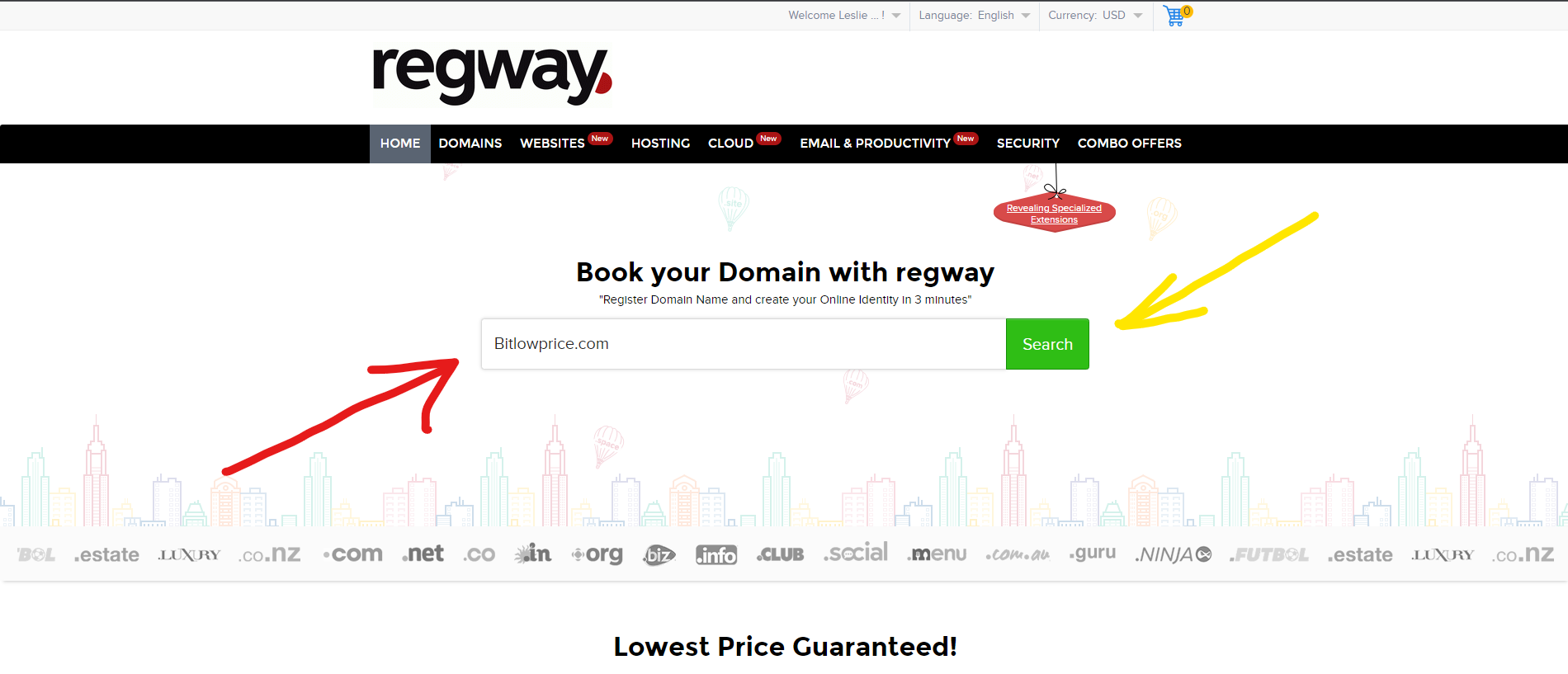
如果您尚未在网站注册，则需要先进行注册（注册时最好填写虚假信息，您可以使用生成虚假信息的服务来帮助—— <https://www.fakexy.com/>）。接着会打开网站首页，中间有一行输入框，您在其中输入想要购买的域名。

<figure><img src="https://telegra.ph/file/2be69c3285c05833a3edd.png" alt=""><figcaption></figcaption></figure>

<figure><img src="https://telegra.ph/file/2be69c3285c05833a3edd.png" alt="" height="817" width="1900"><figcaption></figcaption></figure>

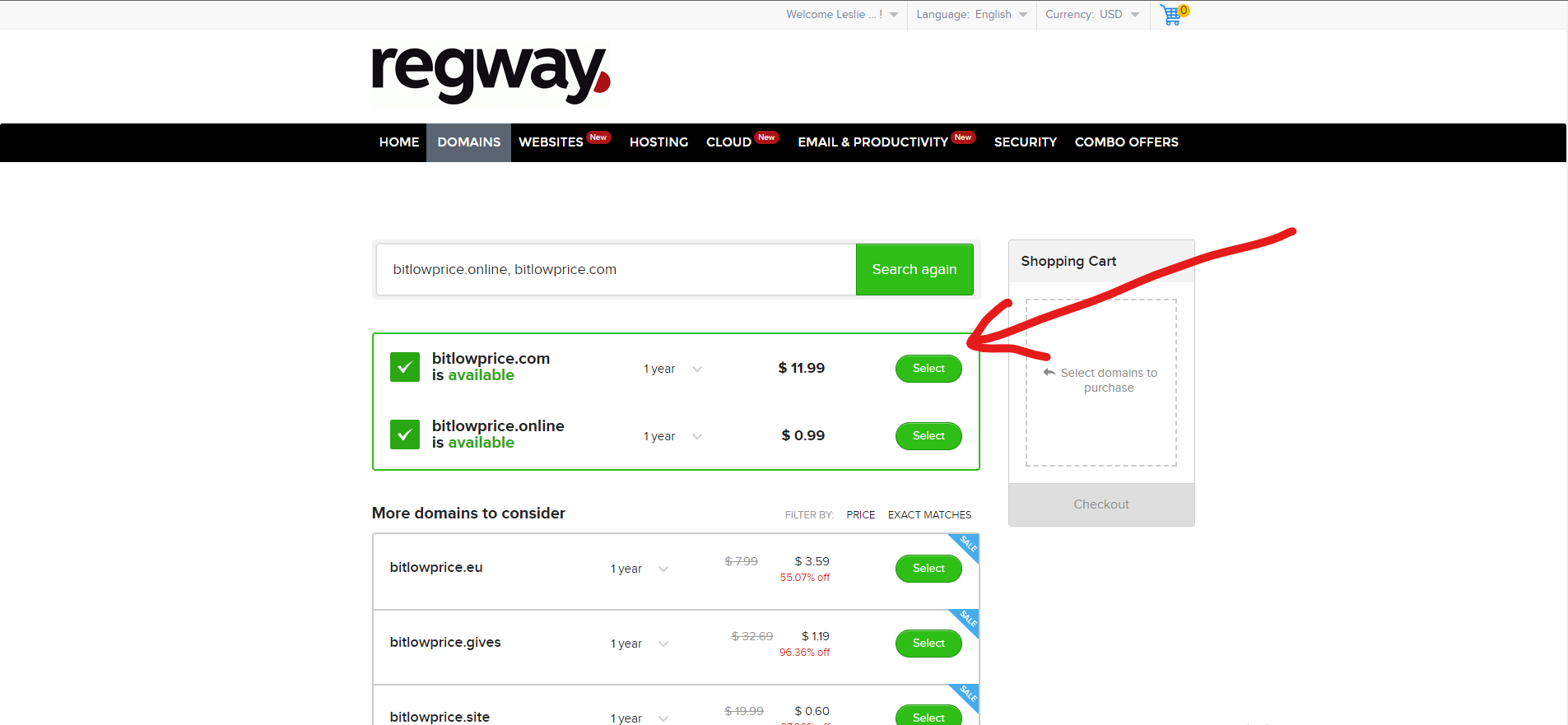
然后您点击“Search”按钮，之后会被跳转到另一个页面，您需要确认想要的是以 .com 结尾的域名，

<figure><img src="https://telegra.ph/file/d9915c225b28ef6e3585d.png" alt=""><figcaption></figcaption></figure>

<figure><img src="https://telegra.ph/file/d9915c225b28ef6e3585d.png" alt="" height="881" width="1905"><figcaption></figcaption></figure>

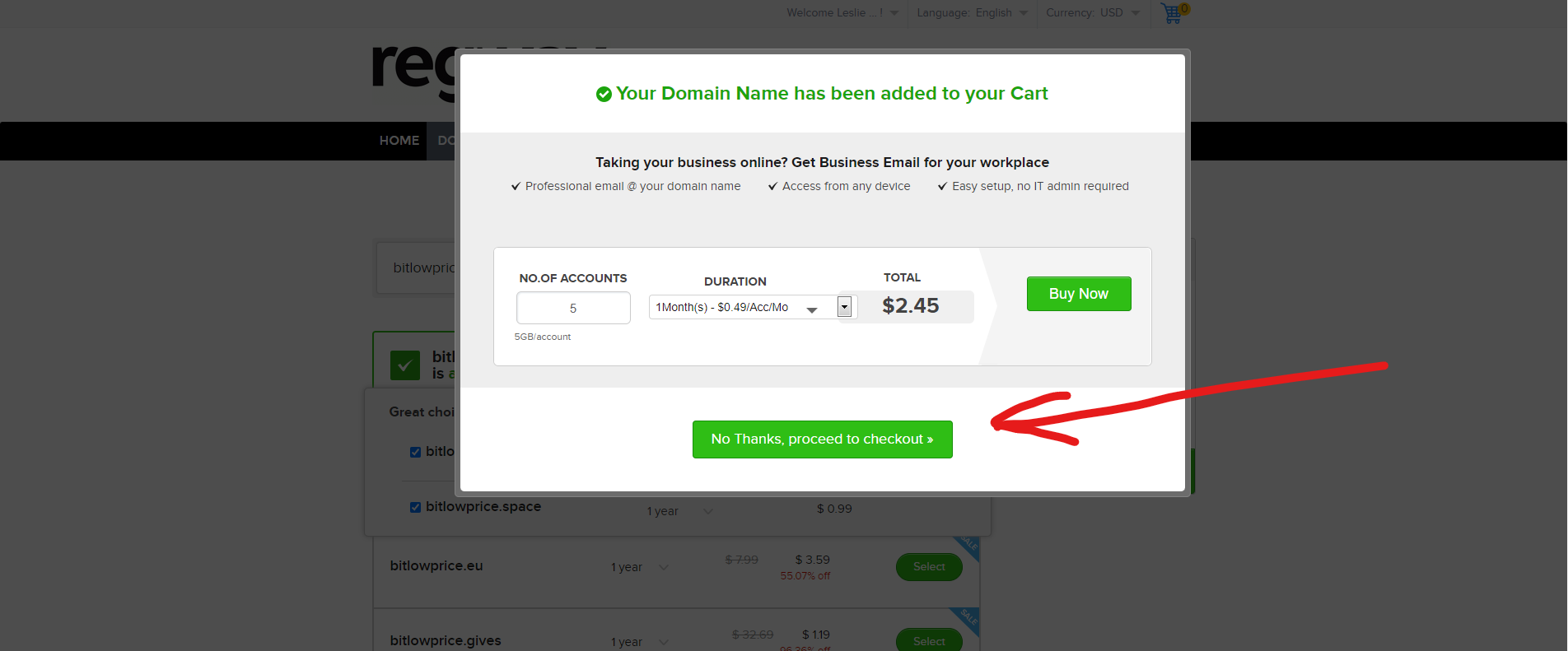
确认后，会弹出一个窗口，向您推荐给域名额外购买的附加服务，我们不需要这些，我们只需要一个售价为 $11.99 的域名。

<figure><img src="https://telegra.ph/file/f2d3d6cc6001b2dcf7c00.png" alt=""><figcaption></figcaption></figure>

<figure><img src="https://telegra.ph/file/f2d3d6cc6001b2dcf7c00.png" alt="" height="875" width="1902"><figcaption></figcaption></figure>

再次确认我们无需购买任何附加项目

<figure><img src="https://telegra.ph/file/bed5c08b459cd833df3d1.png" alt=""><figcaption></figcaption></figure>

<figure><img src="https://telegra.ph/file/bed5c08b459cd833df3d1.png" alt="" height="791" width="1904"><figcaption></figcaption></figure>

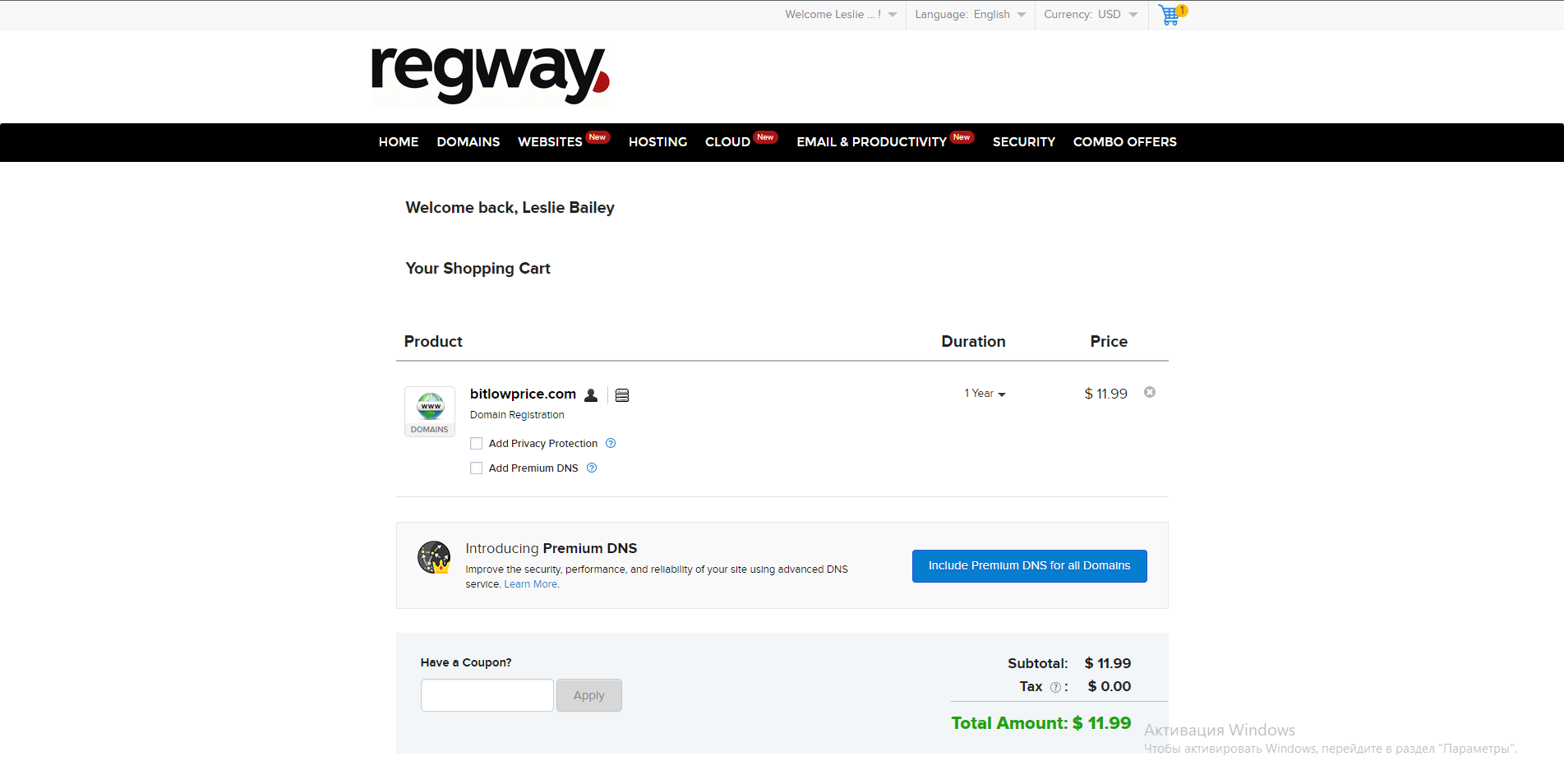
接着您会被跳转到这个页面 -

<figure><img src="https://telegra.ph/file/38b90cb479c751bb88890.png" alt=""><figcaption></figcaption></figure>

<figure><img src="https://telegra.ph/file/38b90cb479c751bb88890.png" alt="" height="954" width="1903"><figcaption></figcaption></figure>

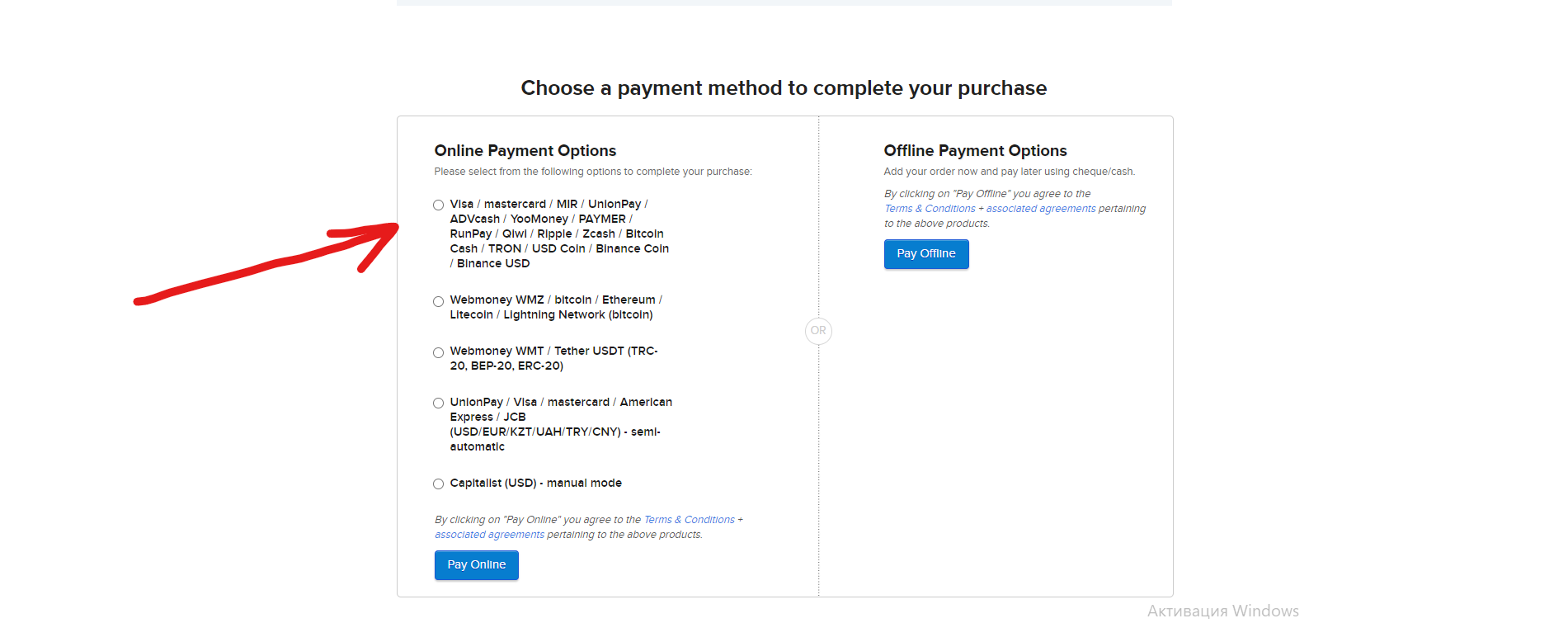
在这里我们什么都不点击，不勾选任何选项，只需向下滚动页面，在那里会显示可用的域名支付方式：

<figure><img src="https://telegra.ph/file/3492e2c2d1827d249c072.png" alt=""><figcaption></figcaption></figure>

<figure><img src="https://telegra.ph/file/3492e2c2d1827d249c072.png" alt="" height="755" width="1901"><figcaption></figcaption></figure>

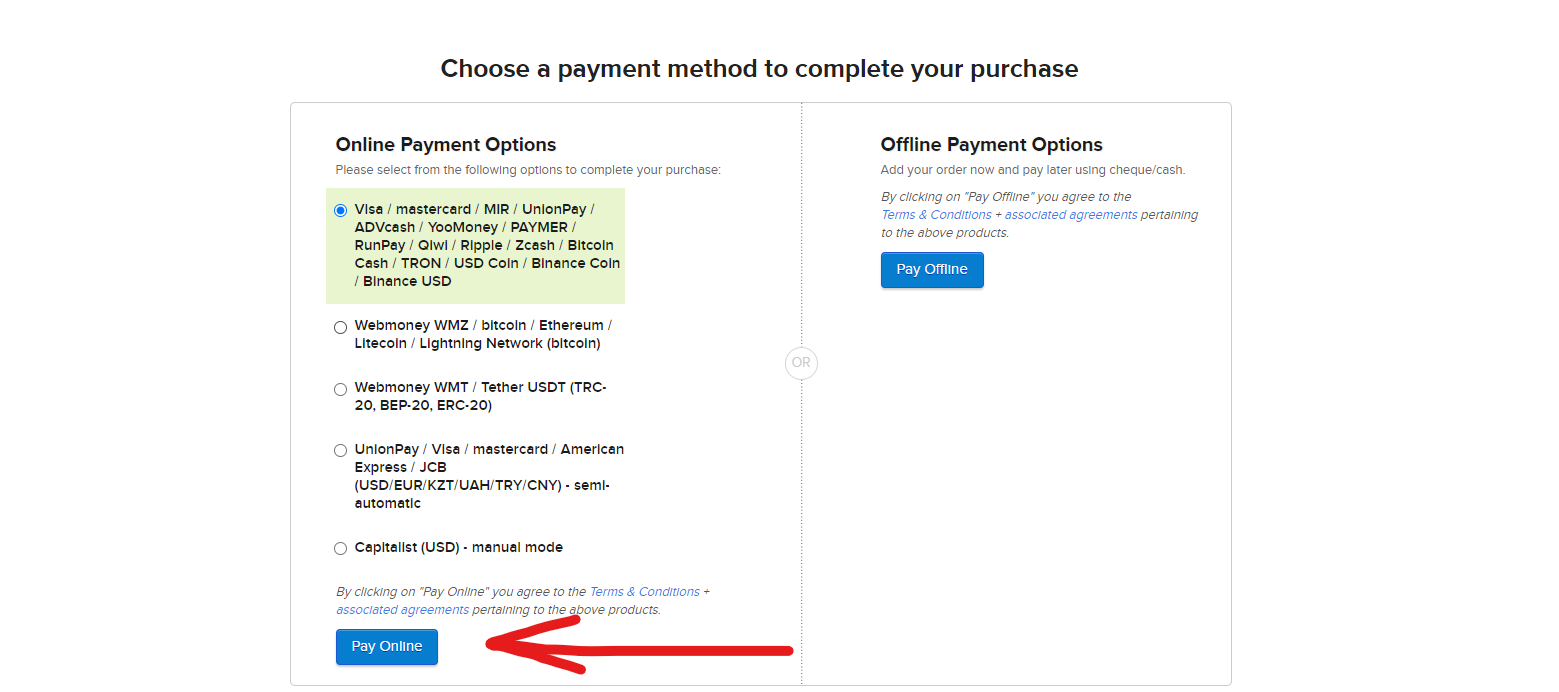
然后您选择对您方便的支付方式（最好使用加密货币支付），例如，选择比特币，在四种支付方式中我们点击第一个，显示 Bitcoin 网络的那个，然后点击“Pay online”，如下图所示

<figure><img src="https://telegra.ph/file/daaf5862f71ddb86d1f82.png" alt=""><figcaption></figcaption></figure>

<figure><img src="https://telegra.ph/file/daaf5862f71ddb86d1f82.png" alt="" height="692" width="1559"><figcaption></figcaption></figure>

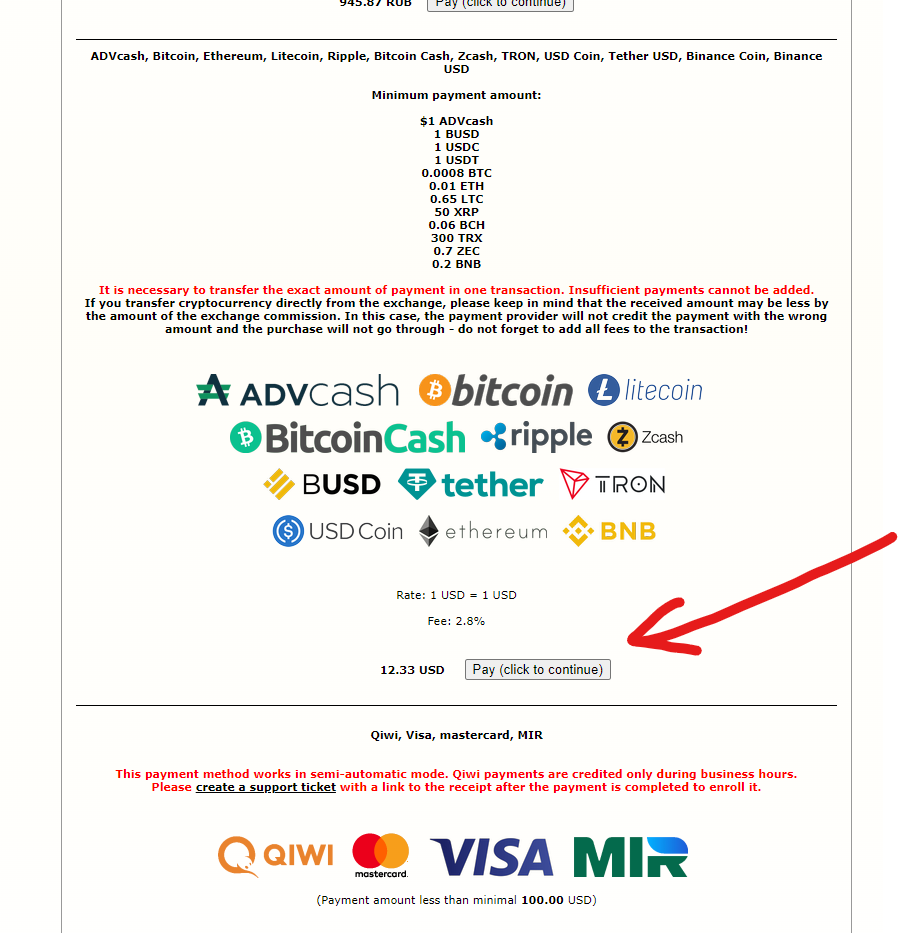
接着会打开一个页面，需要在上面找到用于支付域名的代币，找到后点击支付按钮

<figure><img src="https://telegra.ph/file/d427043d4e14d584733f4.png" alt=""><figcaption></figcaption></figure>

<figure><img src="https://telegra.ph/file/d427043d4e14d584733f4.png" alt="" height="933" width="898"><figcaption></figcaption></figure>

接下来是常规的支付流程，最终选择支付代币、网络、金额，然后完成付款。

**域名支付完成后，不要忘记登录邮箱并确认帐号，否则域名将在 14 天后被取消。**