> For the complete documentation index, see [llms.txt](https://read.cryptograb.wiki/cryptograb-automatic-affiliate/llms.txt). Markdown versions of documentation pages are available by appending `.md` to page URLs; this page is available as [Markdown](https://read.cryptograb.wiki/cryptograb-automatic-affiliate/cex-exchange-5-design-or-seed-or-visa-and-ms-9-merch-tr/hakkimizda/deepfake-ucretsiz-tiktok-olusturma.md).

# DeepFake Ücretsiz TikTok oluşturma

**Başlangıç**

Şuna gidiyoruz [bağlantı](https://zelenka.guru/proxy.php?link=https%3A%2F%2Fcolab.research.google.com%2Fgithub%2Fanothermartz%2FEasy-Wav2Lip%2Fblob%2Fv8.1%2FEasy_Wav2Lip_v8.1.ipynb\&hash=b2733046ff223e41c9ae97f21890c343) ve sağ üst köşedeki "Bağlan"a tıklıyoruz.

<figure><img src="https://nztcdn.com/files/5d65d9b5-b2b0-4960-9c71-5edc0bfc42f9.webp" alt=""><figcaption></figcaption></figure>

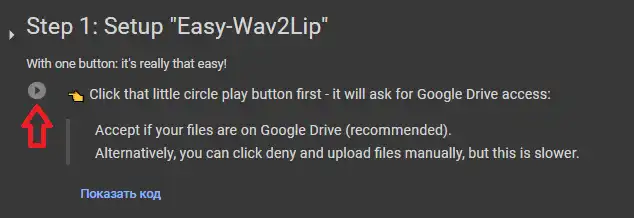
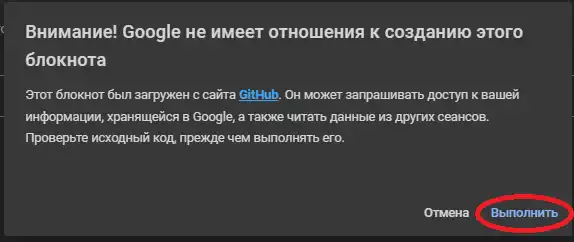
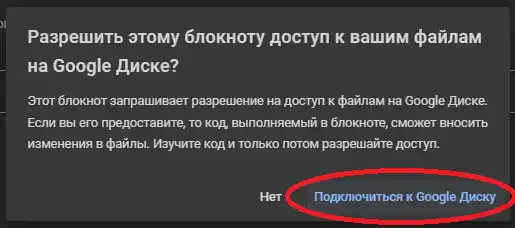
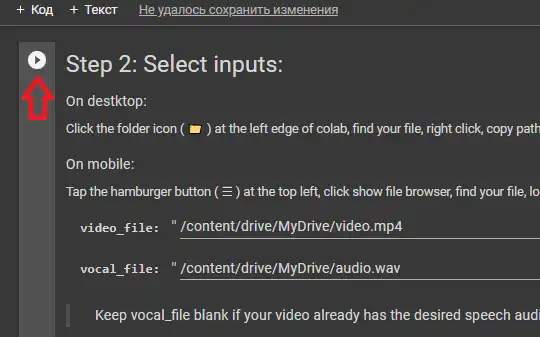
Size bir grafik kartı atanmasını bekledikten sonra ilk kod hücresine geçiyoruz. Bu düğmeye tıklayın ve ardından ekran görüntülerini takip edin.

<figure><img src="https://telegra.ph/file/40ff592ffe94e7c472347.png" alt=""><figcaption></figcaption></figure>

<figure><img src="https://telegra.ph/file/e47c3f9383f3bcad71a5d.png" alt=""><figcaption></figcaption></figure>

<figure><img src="https://telegra.ph/file/abd733297533805b24e14.png" alt=""><figcaption></figcaption></figure>

<figure><img src="https://telegra.ph/file/3774582fa2544d79f0833.png" alt=""><figcaption></figcaption></figure>

<figure><img src="https://telegra.ph/file/a0960f6f8a52452ee3909.png" alt=""><figcaption></figcaption></figure>

2\. adımı tamamladıktan sonra kaynakları eklemeye başlıyoruz, benim durumumda bu FoxNews sunucusu olacak:

* <https://nztcdn.com/files/5f38d3af-9289-4ca3-935e-ae13d48062ee.mp4>

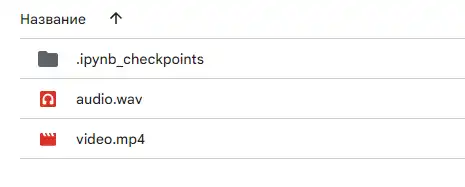
Video .mp4 formatında, ses ise .wav olmalıdır

İstediğiniz sesle text-to-speech nasıl oluşturulur hakkındaki makale

* [MAKALE](https://zelenka.guru/threads/6282053/)

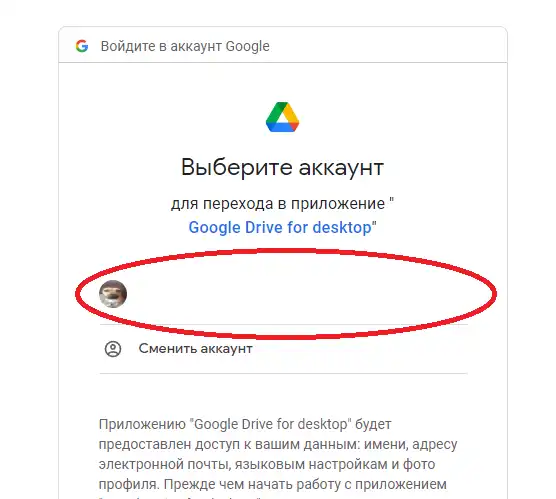
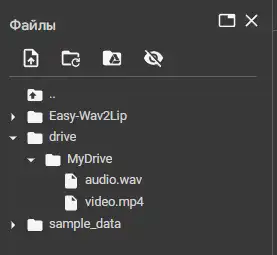
Kendi kaynaklarınızı hücreye bağladığınız Google Disk'e yüklüyoruz.

<figure><img src="https://telegra.ph/file/fcab6ed798b1023f04e5f.png" alt=""><figcaption></figcaption></figure>

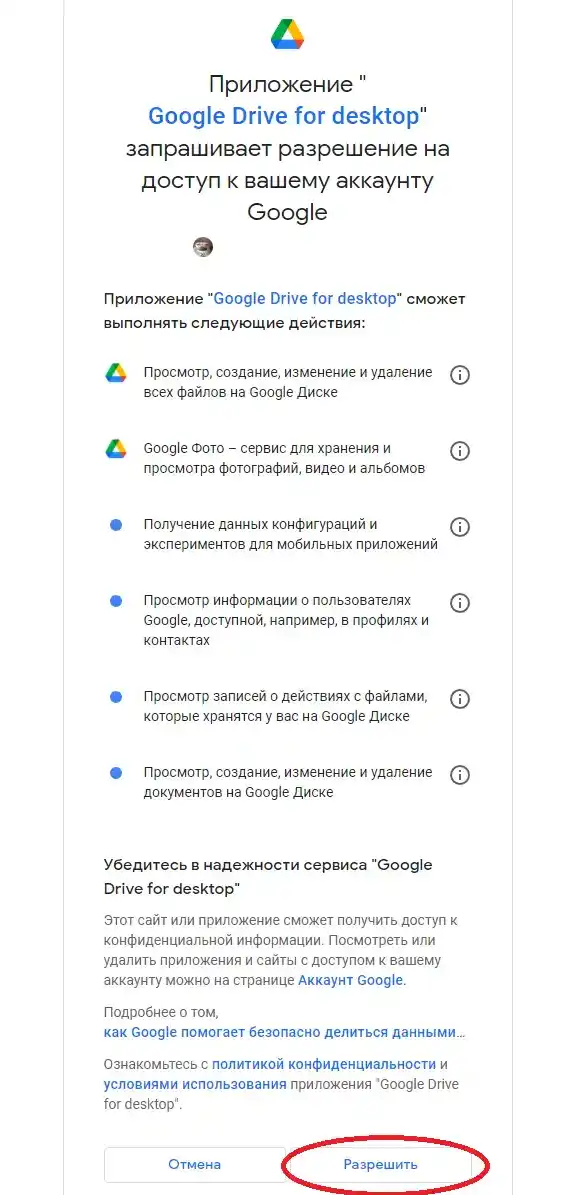
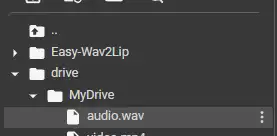
Daha sonra ekran görüntülerini takip edin:

<figure><img src="https://telegra.ph/file/905a8edcf8368bc6c5068.png" alt=""><figcaption></figcaption></figure>

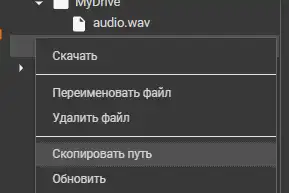
<figure><img src="https://telegra.ph/file/22e37eb37cbe05744b702.png" alt=""><figcaption></figcaption></figure>

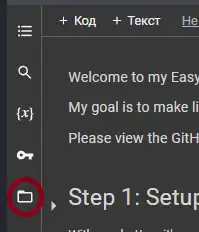
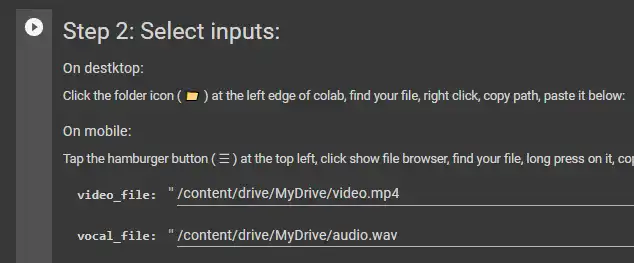
Hücrelerdeki dosya yollarını belirtiyoruz.

<figure><img src="https://telegra.ph/file/2dedbce573be7494d6ff7.png" alt=""><figcaption></figcaption></figure>

<figure><img src="https://telegra.ph/file/f63770eb14e5b462de1f1.png" alt=""><figcaption></figcaption></figure>

<figure><img src="https://telegra.ph/file/fd346a5c5fe4df4ed2f6a.png" alt=""><figcaption></figcaption></figure>

> **video - video\_file**

> **audio - vocal\_file**

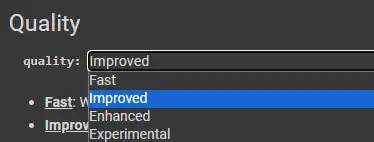
Kaliteyi seçiyoruz:

<figure><img src="https://telegra.ph/file/eb70532c190749812cd9a.png" alt=""><figcaption></figcaption></figure>

Ben Enhanced (Geliştirilmiş) seçmenizi öneririm.

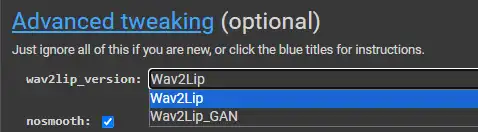
Sinir ağının sürümünü seçiyoruz.

<figure><img src="https://nztcdn.com/files/56125124-2267-4ee5-91a5-186cc3817ff7.webp" alt=""><figcaption></figcaption></figure>

Bu kişiye göre değişir, her dip için hemen 2 sürüm deneyin, ben Wav2Lip tavsiye ediyorum

Aralarındaki fark:

**Wav2Lip**

**Artıları:** Dudakların daha doğru senkronizasyonu + Ses olmadığında ağızı kapatır

**Eksileri:** Bazen dişlerin kaybolmasına yol açar

**Wav2Lip\_GAN**

**Artıları:** Daha hoş görünüyor + Konuşanın orijinal ifadelerini korur

**Eksileri:** Dudak senkronizasyonu daha az hassas + Ses olmadığında ağzı orijinale benzer şekilde korur.

Deepfake üretimini başlatıyoruz:

<figure><img src="https://telegra.ph/file/c24cedd90a6281fbfbe62.png" alt=""><figcaption></figcaption></figure>

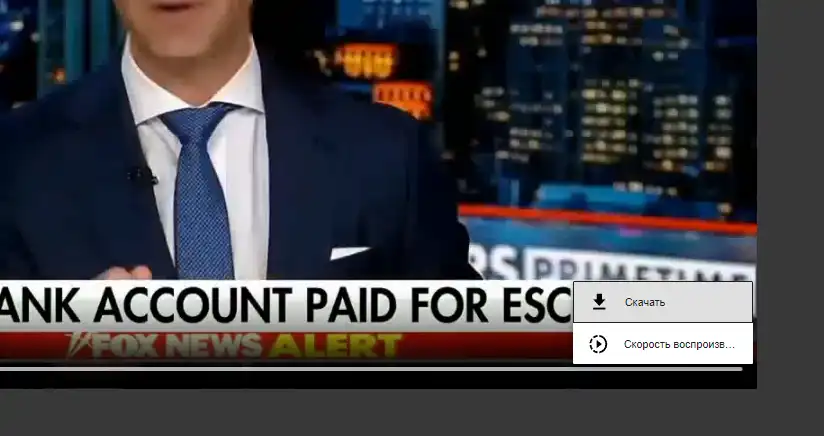
Sonucu aldıktan sonra herhangi bir artefakt olup olmadığına bakıyoruz. Her şey hoşunuza gittiyse elde edilen sonucu indiriyoruz.

<figure><img src="https://telegra.ph/file/750e1cf2e6985b8b2a0c6.png" alt=""><figcaption></figcaption></figure>

Peki ya artefaktlar varsa. Çene ile ilgili sorunlar gözlemleniyorsa, yani hareket üretiminin geçtiği yerde bir şerit çerçeve görünüyorsa, benimle birlikte tekrarlayın. Bu kaydırıcıya geçin:

<figure><img src="https://telegra.ph/file/4224e1b3dbd9d0fe3c3ed.png" alt=""><figcaption></figcaption></figure>

D kaydırıcısını 5-10 yapın ve sonucu gözleyin. Bu işlemle yüzün alt kısmına sinir ağı tarafından da üretilecek birkaç piksel daha ekledik

> R - Sağ

> L - Sol

> U - Üst

> D - Alt

Bu ayarlarla oynayabilirsiniz, örneğin kişinin kafa şekli garipse bu da işe yarar. Kalite yalnızca seçtiğiniz kaynak videoya bağlıdır. Tercih edilen video, kişinin tercihen kameraya baktığı ve en önemlisi zıplamadığı veya sarsılmadığı videodur.

Benim elde ettiğim sonuç:

* <https://nztcdn.com/files/c145b3df-bc2d-4365-809a-30e0692323e3.mp4>

**Hepsi bu. İyi şanslar!**

---

# Agent Instructions
This documentation is published with GitBook. GitBook is the documentation platform designed so that both humans and AI agents can read, navigate, and reason over technical content effectively. Learn more at gitbook.com.

## Querying This Documentation
If you need additional information that is not directly available in this page, you can query the documentation dynamically by asking a question.

Perform an HTTP GET request on the current page URL with the `ask` query parameter:

```
GET https://read.cryptograb.wiki/cryptograb-automatic-affiliate/cex-exchange-5-design-or-seed-or-visa-and-ms-9-merch-tr/hakkimizda/deepfake-ucretsiz-tiktok-olusturma.md?ask=<question>
```

The question should be specific, self-contained, and written in natural language.
The response will contain a direct answer to the question and relevant excerpts and sources from the documentation.

Use this mechanism when the answer is not explicitly present in the current page, you need clarification or additional context, or you want to retrieve related documentation sections.